Updating Network Configurations
Configuration Update Workflow
When configuration changes are made in a Casambi Pro project, they must be uploaded to the network(s) using an iPad. While project configurations can be created and edited in both Casambi Pro for Windows and Casambi Pro for iOS, uploading changes to physical devices must be performed using the iOS app over Bluetooth.
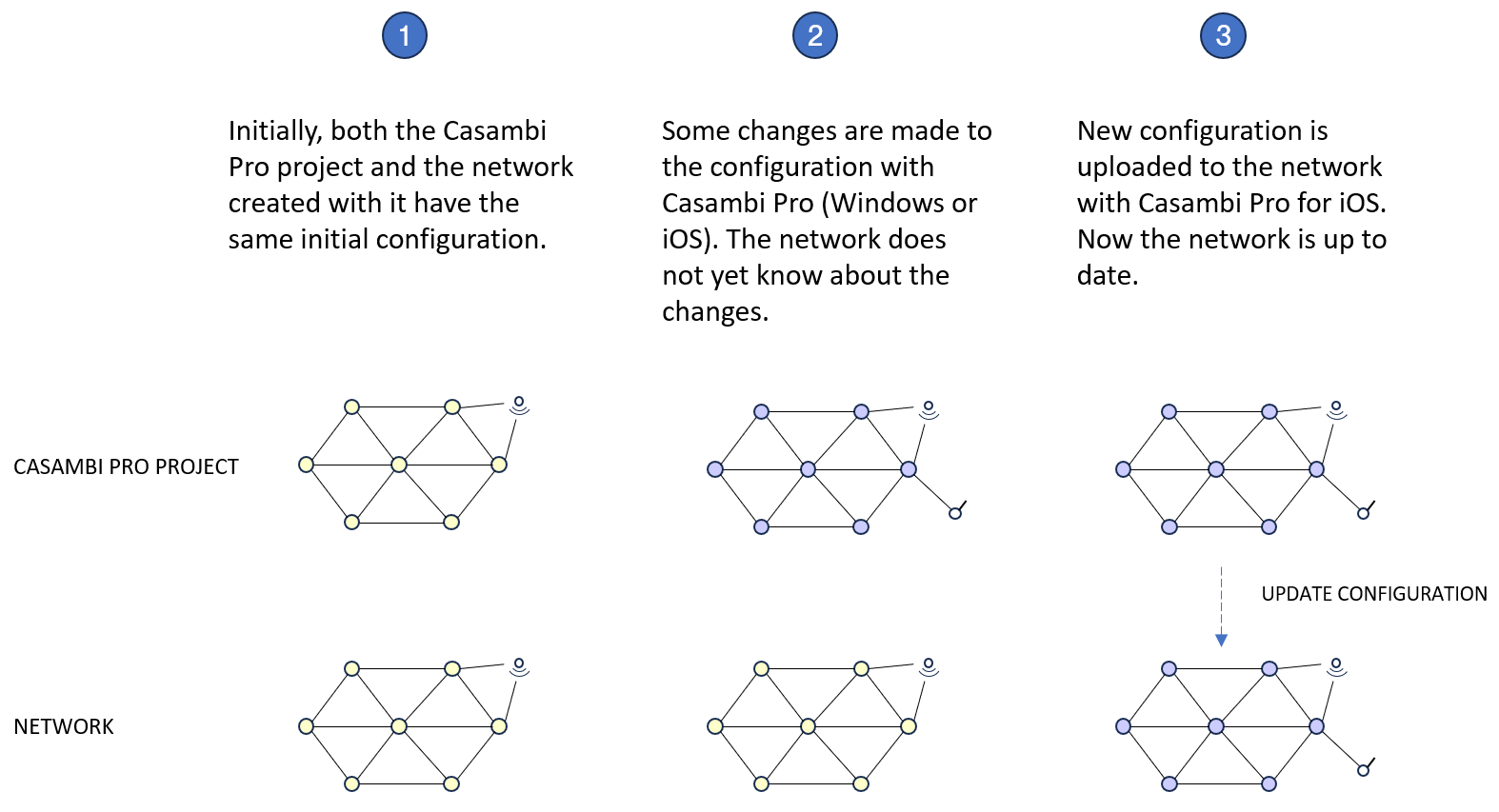
Update Configuration UI in Casambi Pro for iOS
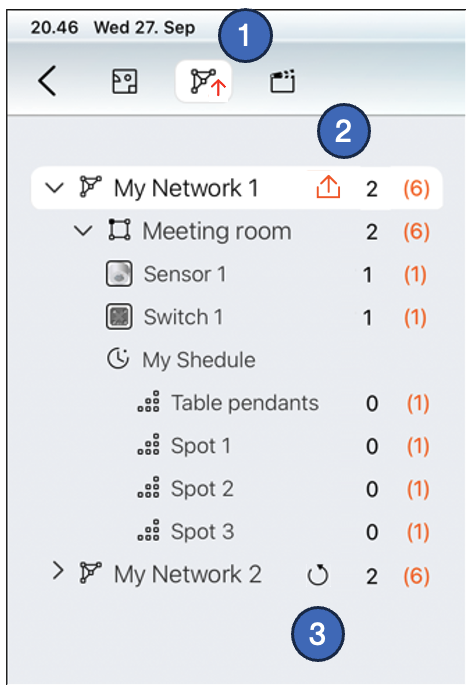
Pending configuration changes that have not yet been deployed to physical networks are indicated in the iOS app by red arrow upload icons. A circular reload button is also available to re-push configurations.
-
New Configuration Indicator: The Networks toggle button in the top toolbar displays an animated arrow whenever there are pending configuration changes that have not yet been uploaded to project networks.
-
Network Upload Arrow: An arrow icon appears next to the network name in the network list when there are pending changes for that specific network:
- Red Arrow: The network has pending updates and is currently within Bluetooth range. Tap the red arrow to upload the latest configuration.
- Grey Arrow: The network has pending updates, but no nodes in the network are currently reachable via Bluetooth.
-
Reload Button: The circular arrow button completely reloads and reapplies the configuration to the network.
Loading or reloading a configuration automatically stops all active schedules in that network. Schedules can be restarted from the Network properties page.