Exporting documentation
Configuration documentation
In Casambi Pro for Windows, you can export a comprehensive project report summarizing all networks, their devices, and current configurations in PDF or DOCX (Microsoft Word) format.
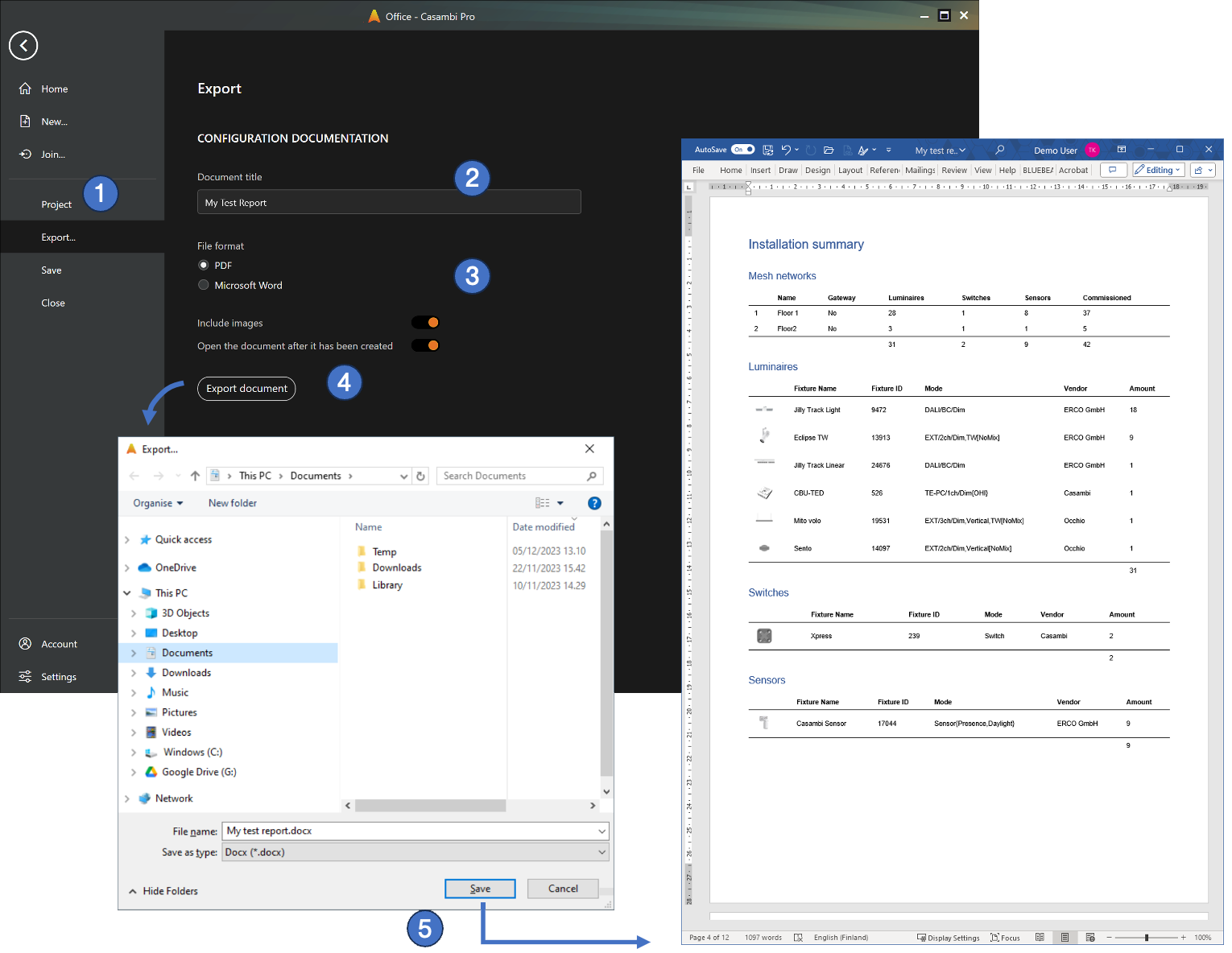
To export a project report:
- Open the project. Navigate to the Backstage view and select Export report… to open the export options.
- Enter a title for the document.
- Select your preferred file format (PDF or DOCX). Optionally, choose whether to include layout floor plans and whether the generated file should automatically open after saving.
- Click Export Document.
- Enter a file name and choose the destination folder. After clicking Save, the exported report will open automatically in your system's default viewer or editor (if selected).
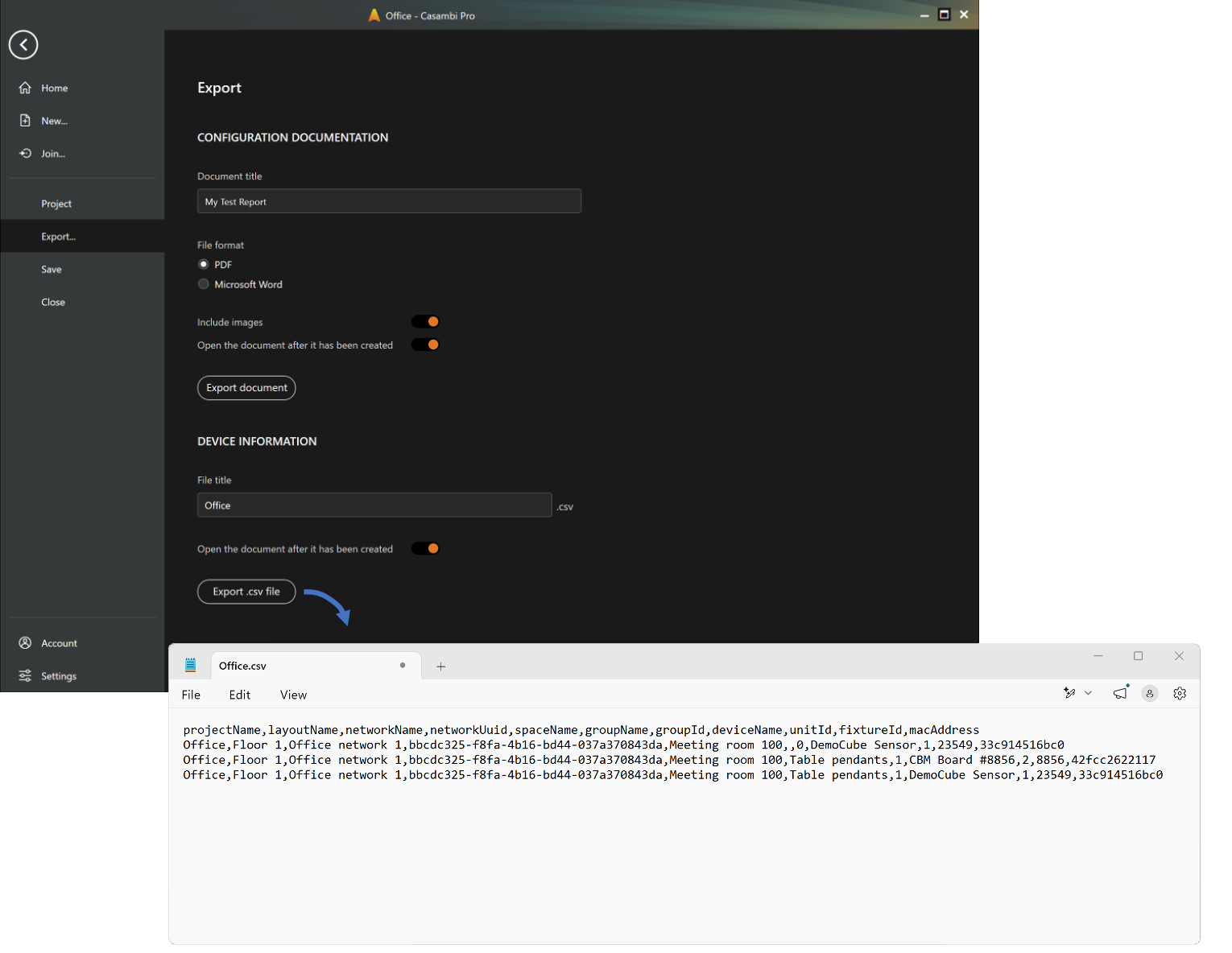
Device information report
Exports a CSV file listing all paired devices with their network details, physical and logical locations (Project, Layout, Space, Group), and device identifiers (MAC address, Unit ID, Fixture ID).