Casambi Cloud Gateway
Overview
Casambi Pro supports the use of a Casambi Cloud Gateway to enable remote access for networks created within Casambi Pro.
To enable gateway functionality, the target network's visibility mode must be configured as Password protected. Gateways cannot operate on Open networks.
Creating a Casambi Cloud Gateway placeholder
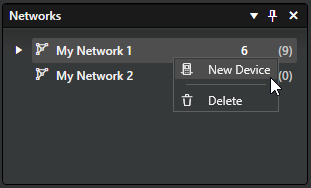
Each network supports one Casambi Cloud Gateway. Similar to controllers, a gateway can be pre-configured as a placeholder and later replaced by the physical gateway hardware during commissioning.
To create a gateway placeholder, right-click on top of the network name in the Networks pane and click New Device.
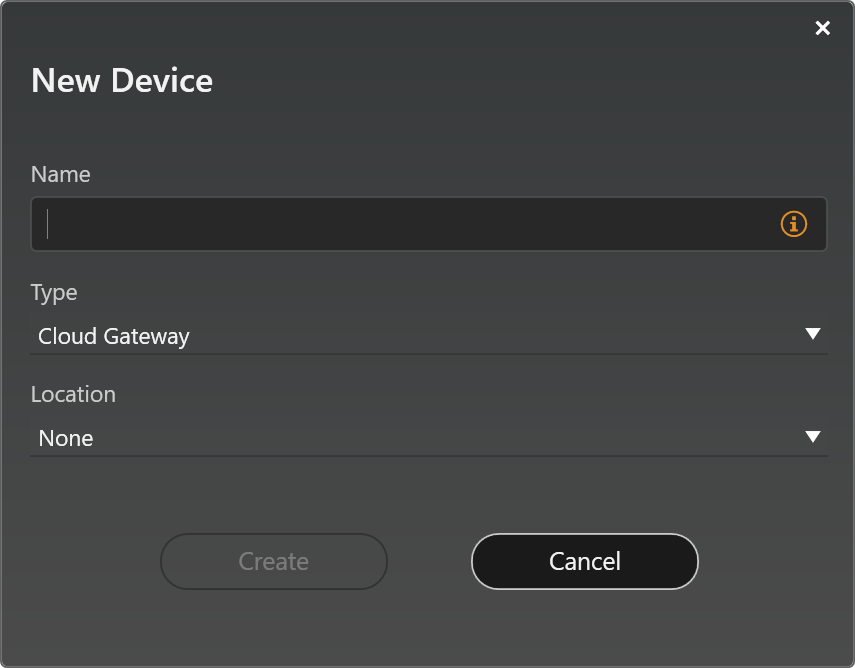
In the New Device dialog, set the Type to Cloud Gateway, then:
- Enter a name for the placeholder.
- Select the location (the layout where the placeholder should reside).
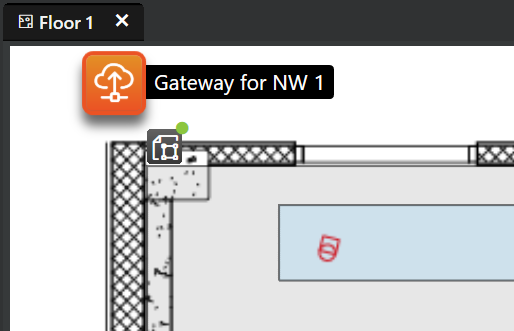
After clicking the Create button in the dialog, the gateway placeholder element appears in the top left corner of the selected layout.
The placeholder can be dragged freely to its target location within the floor plan. It can also be reassigned to a different layout by selecting a new location in the gateway's properties pane.
The gateway's properties and settings are accessible directly in the Properties pane.
Cloud Gateway properties
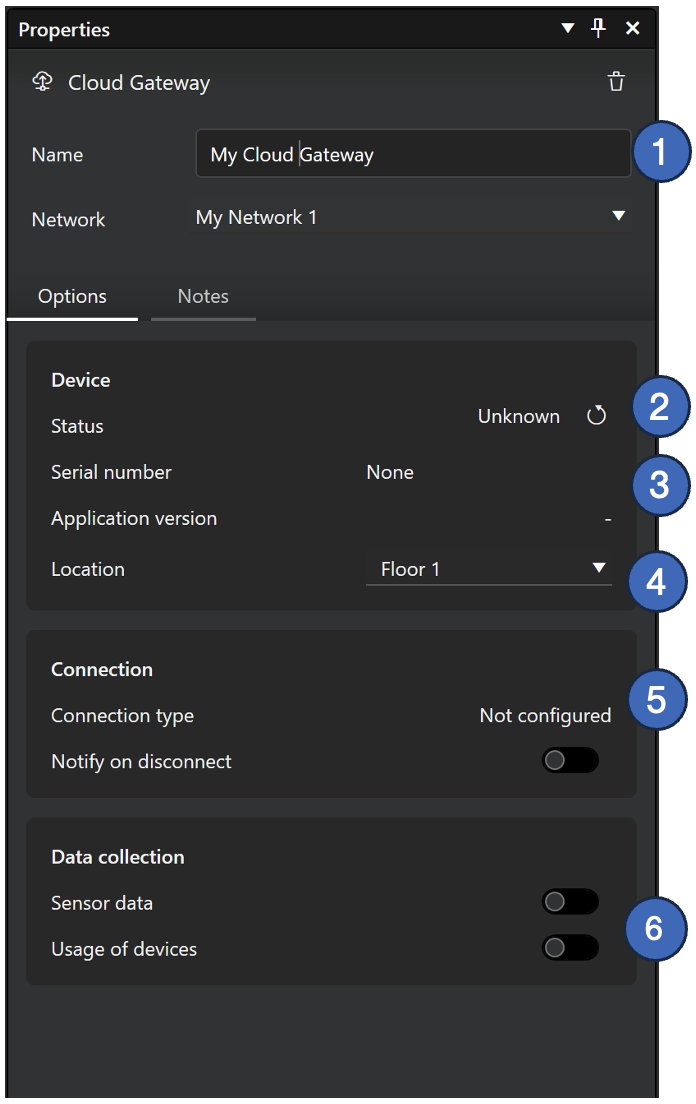
Device
- Device Name: The assigned name of the Casambi Cloud Gateway.
- Status: The current operational status of the gateway. Tap Refresh to manually update the status.
- Serial Number: The hardware serial number of the gateway unit (visible only after a physical device has been paired).
- Location: The layout assignment of the gateway element within the Casambi Pro project. If moved to a different layout, the gateway icon appears in a default position in the target layout view.
Connection
- Connection Alert: A toggle setting to trigger a notification if the gateway loses its connection. Setting for displaying a notification if connection is lost with the gateway.
Data collection
- Options to enable or disable diagnostics and telemetry data collection from the connected network.
Connecting a Physical Cloud Gateway
Once the physical Cloud Gateway hardware is available on-site, it can be paired to the network using Casambi Pro for iOS.
- For instructions on adding and pairing a gateway to a network, see Pairing Devices to Networks.
- For instructions on unpairing or deleting devices, see Unpairing a Device from a Network.
When pairing a Casambi Cloud Gateway to a network, the network must already contain at least one active, commissioned device. The gateway cannot be paired as the first device in a network.