Scene controls
Dimming control in a scene
The dimming control is always part of a scene. There are three methods to control dimming:
- Static dimming level (default)
- Daylight control
- Circadian profile with dimming curve
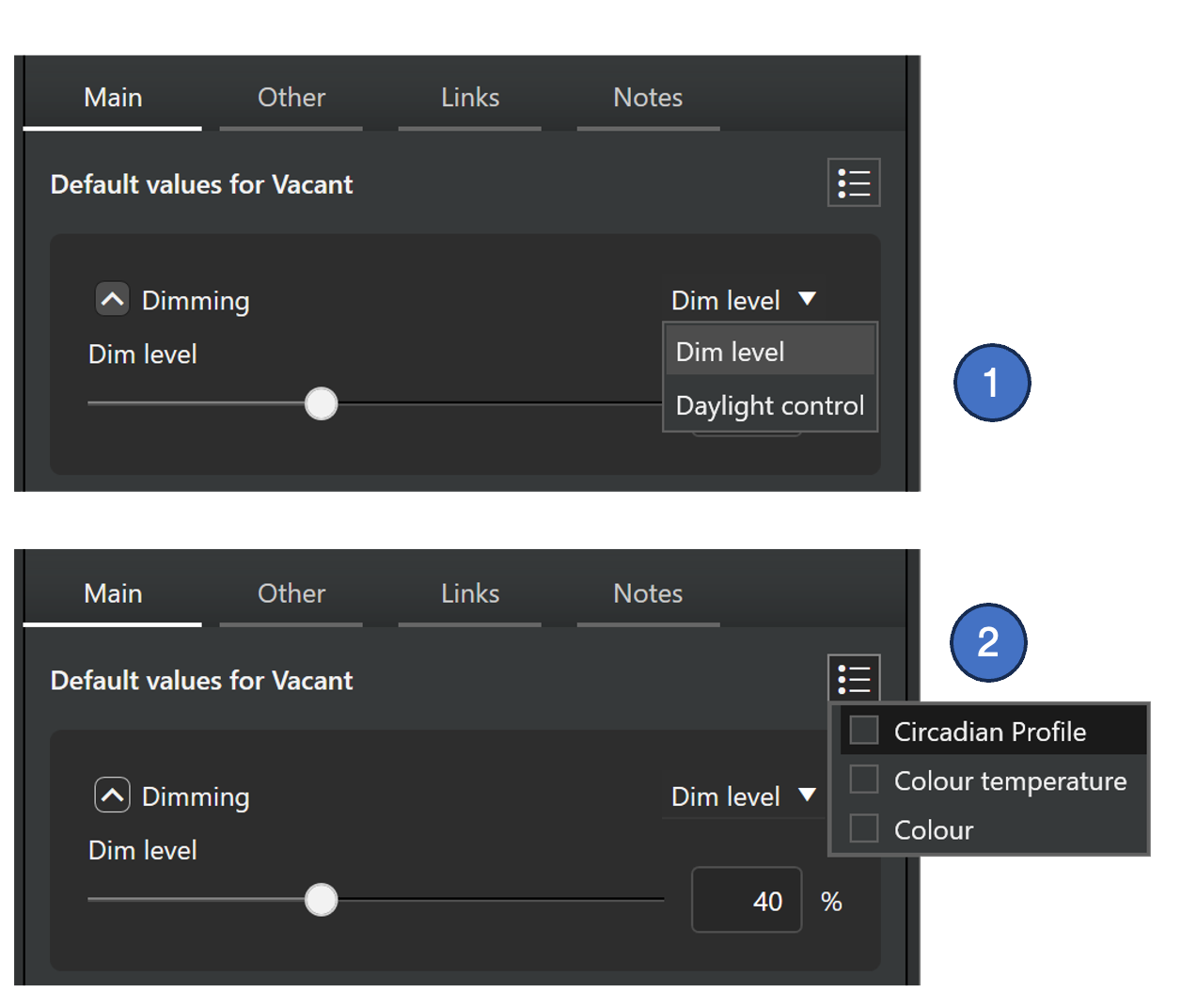
Selecting method for dimming control:
- Selection between static dim level and daylight controlled dimming is done in the dimming section of the property pane.
- If a circadian profile is used in the scene, it is activated from the property menu. In this case, if the selected profile has a dimming curve, it will control the dimming and the other dimming options are not available.
This feature works similarly in both Casambi Pro for Windows and Casambi Pro for iOS.
Static dimming level
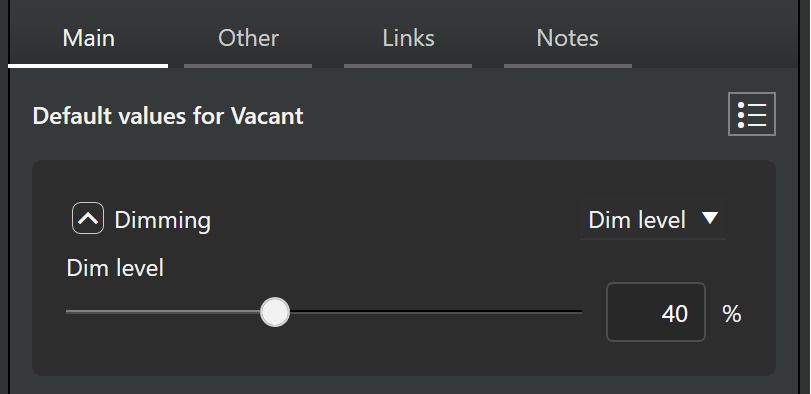
By default, every scene has a set dim level control. The default value for dimming is 100%.
If needed, each group can also have their own custom dimming levels. See more in the Group specific scene values section of the Scenes table and scene properties page.
Daylight control
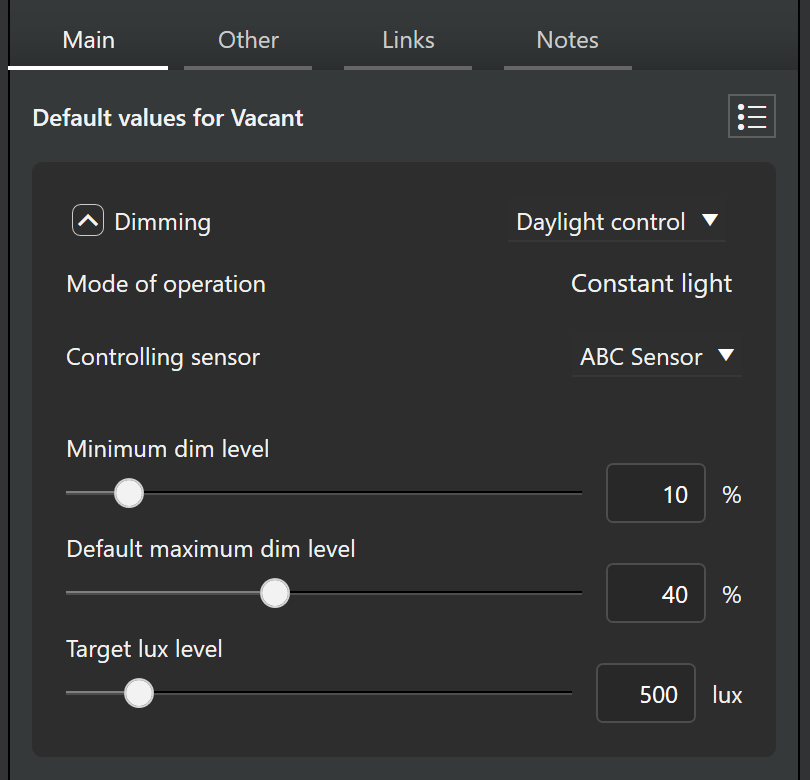
Luminaire dimming can be controlled also with a daylight sensor controlled scenes. These scenes utilize information provided by a lux sensor, to automatically adjust the scene lighting level based on the amount of light available.
In Casambi Pro, daylight control uses the Constant Light principle (called “Closed Loop” in the Casambi App). In Constant Light mode, the selected lux sensor continuously adjusts the luminaires in the active scene to maintain the target illuminance level. This is achieved through a feedback loop, where the sensor monitors changes in light output and responds accordingly. The sensor measures combined light from the scene’s luminaires and natural daylight in the space.
See more in the Daylight controlled dimming page.
Circadian profile controlled dimming
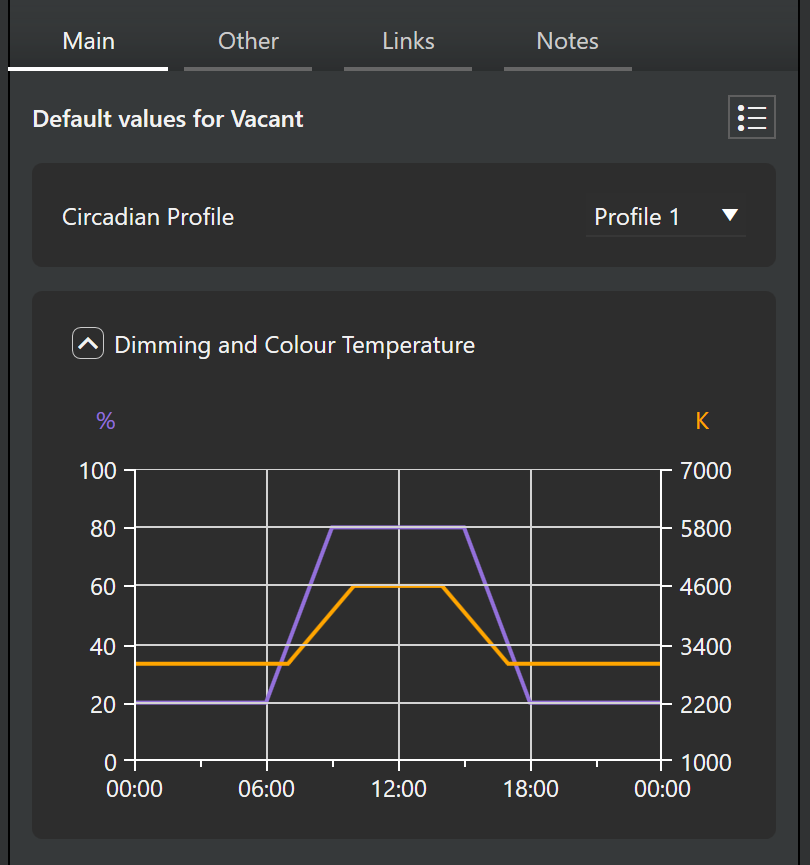
Circadian profiles defined in a project can be used in a circadian scene. A profile can include an adjustment curve for dimming, colour temperature, or both. When applied to a scene, the profile automatically adjusts the dimming level and colour temperature of tunable white luminaires over time based on its curve settings.
See the Circadian Profiles page to learn more how the profiles are created and managed.
The circadian profile control for dimming is always applied to the entire scene. If a circadian profile is used, it is not possible to use custom dimming values in individual luminaire groups.