Daylight controlled dimming
- Windows
- iOS
Daylight control for Windows
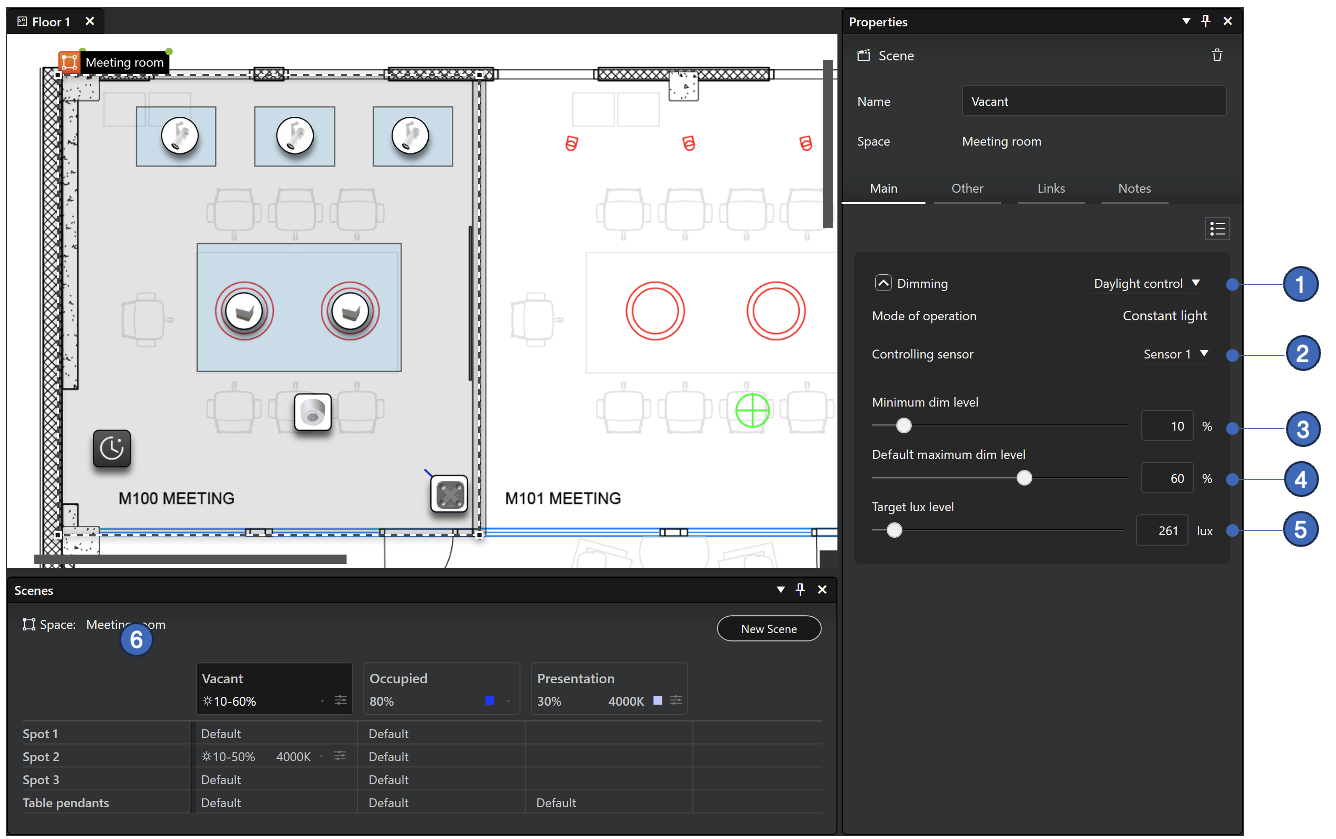
-
Dimming method selection (Dim value or Daylight control)
-
Selection of lux sensor which is used for daylight controlling. Note, that in Casambi Pro, only one sensor can be selected.
-
Minimum dimming level setting.
-
Default maximum dimming level setting.
-
Target lux level. This value can be manually entered or adjusted in real environment with the Casambi Pro for iPad when the real lux sensor and luminaires are present.
-
When a scene is daylight controlled, the max-min range is displayed in the scene table.
- Only one sensor can be selected for controlling the dimming in a scene
- Casambi Pro does not support reading values only from luminaires with integrated or dedicated sensors.
- In Casambi Pro, some parameters familiar from the Casambi App are using static values:
- Change rate: 2,5 seconds
- Tolerance: 15%
- Initially there is no Activation Level graph available in Casambi Pro.
- Limitation with Spaces linked to a space template:
- The target lux level is manually set in the space template editor in Pro for Windows.
- Each templated space uses the same target lux value.
- If you need to adjust the desired illuminance levels individually for each templated space in Casambi Pro for iOS, the spaces must be first unlinked from the parent template.
Daylight control for iOS
The daylight control dimming levels can be set on iOS in a separate mode, where the luminaires’ dimming level can first be set in real time to the desired value and then those values are saved to the configuration.
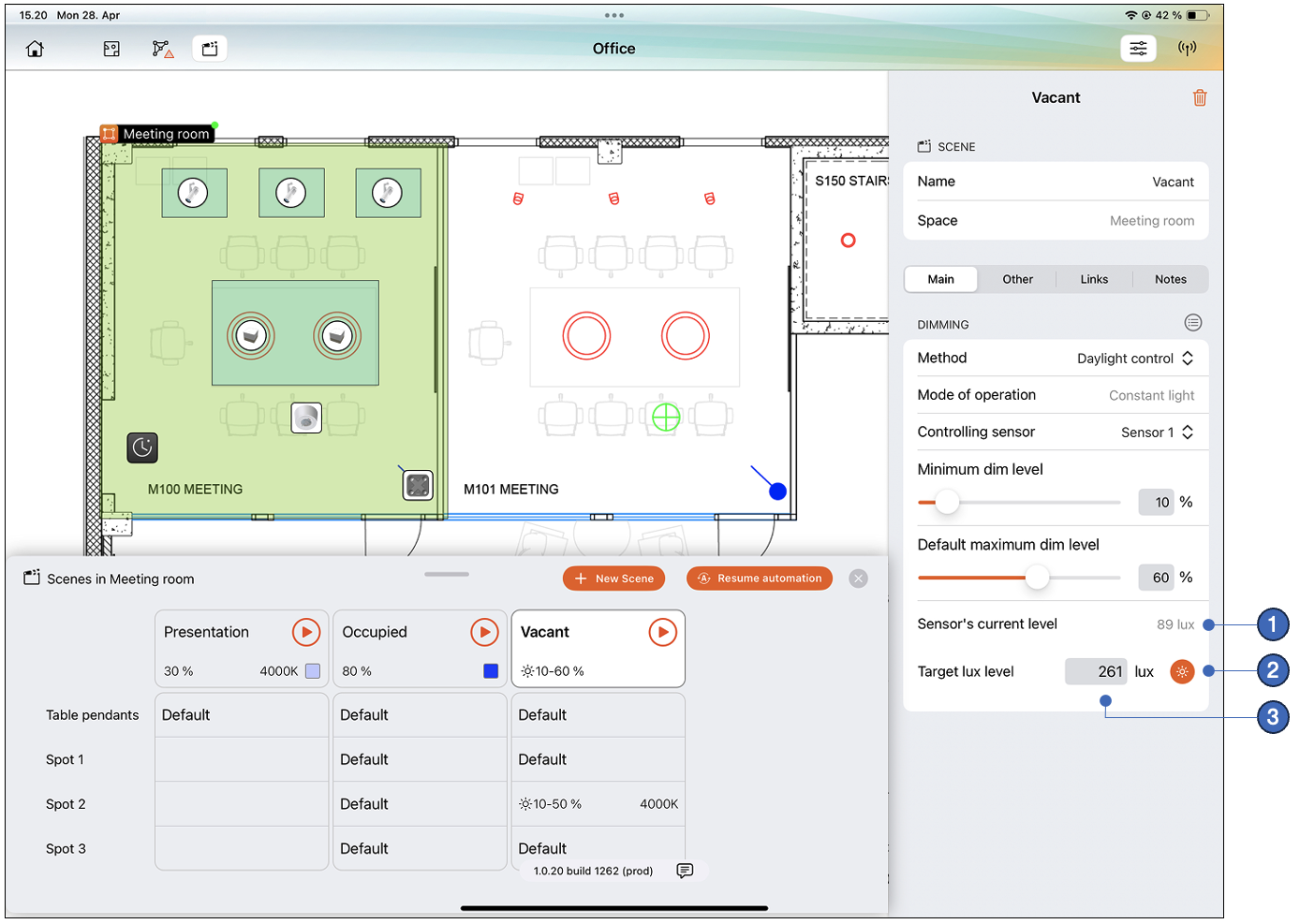
- The current lux level for the selected controlling sensor. The value is displayed if the sensor is within the bluetooth range of the used iOS device.
- The Adjust button opens the Adjustment view where the luminance levels of the luminaires can be set to desired level in real time.
- After the targeted luminance level has been adjusted, the target lux level is shown in the properties. This value can also be entered manually.
With spaces that are linked to a space template, the adjustment mode is not available. Target lux level must be changed in the space template editor in Casambi Pro for Windows.
Daylight scene adjustment view
In the daylight scene adjustment view, the iPad is connected to the network and sensor’s and luminaires’ statuses are displayed in real time. Here each group’s dimming level can be adjusted to the desired luminance level.
Adjustment view when a space is selected:
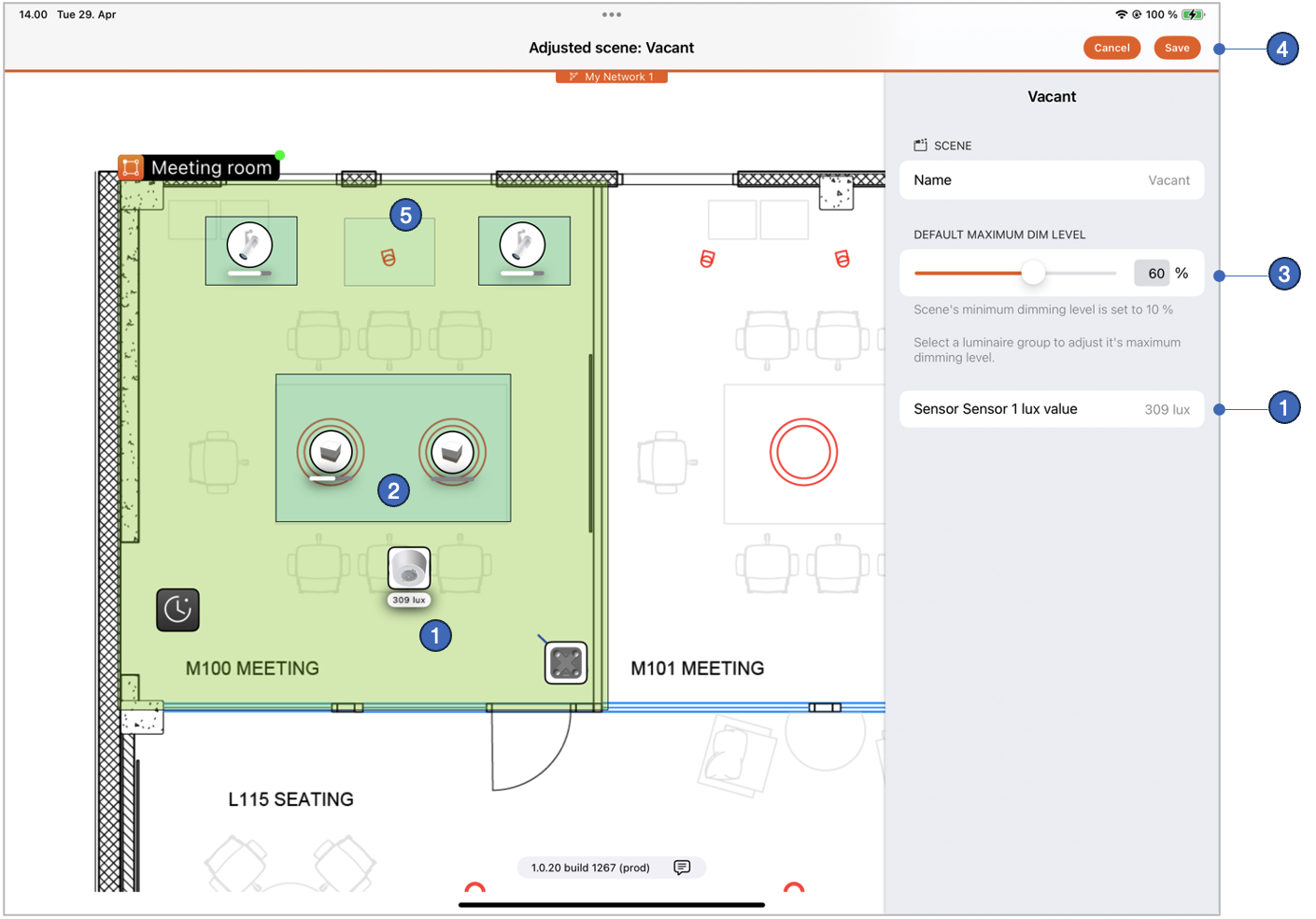
- Sensor’s lux levels are displayed in real time.
- Luminaire’s dimming level is shown with indicator bars under the luminaire elements in each group.
- Scene’s default maximum dimming level can be adjusted when the space is selected. By selecting a single group, its dimming levels in the scene can be adjusted individually. Adjusting the dimming level of the group will affect the controlling lux sensor's detected lux value.
- When the desired dimming levels have been adjusted, the settings can be saved by tapping the Save button. When this is done, the scene adjustment view is closed, and the user is returned to the main edit view.
- If a group is not part of the scene (using the "Not used" value), it is not shown in this view.
Adjustment view when a luminaire group is selected:
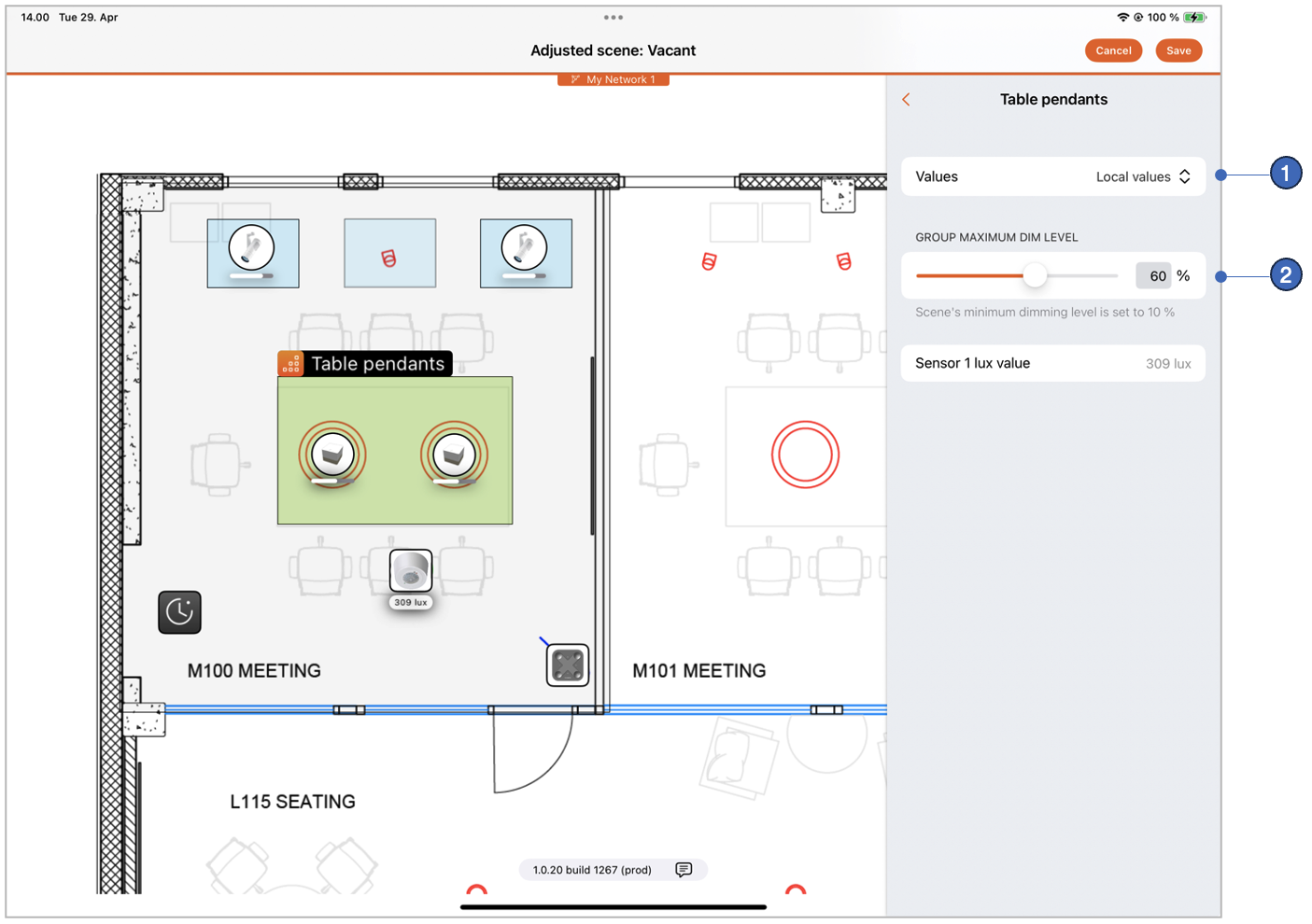
- Selection for the group, to either
- Follow the scene's default dimming value or
- Use the local dimming value or
- Not be part of the scene
- Group's preferred maximum dimming level when using the local dimming value.