Unpairing a device from a network
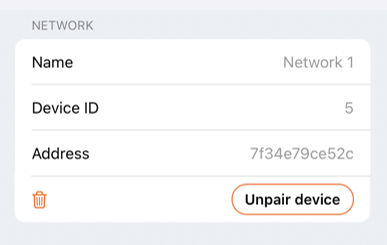
To remove a device from a network, you must unpair it. In Casambi Pro for iOS, open the device's details pane and tap Unpair device in the Network section.
The Unpair device button is available only when:
- The iOS device has an active Bluetooth radio connection to the target network.
- The user account has appropriate administrative rights to unpair devices.
When unpairing a switch or sensor, Casambi Pro prompts you to choose whether to replace the device with a placeholder. Using a placeholder preserves the controller's existing programming and configuration within the project.
Notes about unpairing
- Devices cannot be unpaired using Casambi Pro for Windows, as pairing operations require an active Bluetooth connection.
- While physical devices can technically be unpaired using the standard Casambi App, doing so is strongly discouraged. Unpairing outside of Casambi Pro creates a state mismatch: the physical device is unlinked from the mesh, but the Casambi Pro project continues to display it as an active part of the network.