Control Scenes
If you have created different scenes with the Casambi app, you can control them with a single power switch.
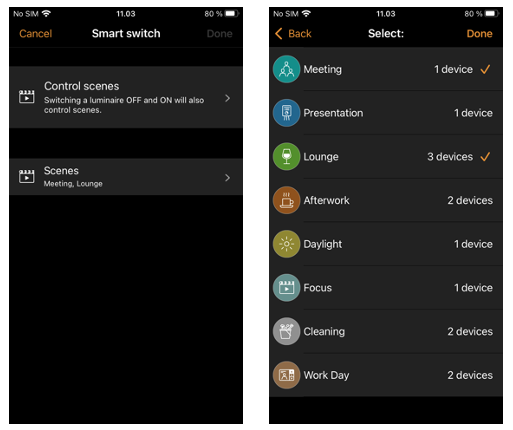
Turning on the luminaire that has this option configured will activate the specified scene and the luminaires in that scene will go into their defined scenario. Note that all luminaires in the scene must already be powered on (The Control scenes option does not turn on any devices).
Turning off the Control scenes enabled luminaire will turn off the scene, and the luminaires that are currently controlled by that scene will fade off.
To enable this Smart switch option, select the Control scenes option from Smart switch and tap on the desired scene to select it. Confirm changes by tapping on Done.