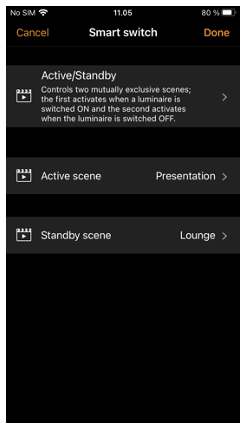
Active/Standby
With Active/Standby Smart switch mode you can control two scenes that both contain the same luminaires.
Create two scenes, one scene that turns on when the controlling luminaire is powered ON (i.e., the Active scene) and one Standby scene that is turned on when the controlling luminaire is powered OFF. This mode can be used for example with a mains switching motion sensor connected to a CBU-TED with "sensor" profile.
Example: When motion is detected the sensor switches power on to the CBU-TED. This then recalls a scene (e.g. Luminaires at 100%). When the sensor stops detecting motion it switches power to the CBU-TED off and this causes another scene to be triggered (e.g. Luminaires at 30%).
Note that the luminaires in the two scenes must always be powered i.e. they cannot be connected to the same power switch that is used to activate the device configured with Active/Standby Smart switch mode.