How can I add users to my 'Password protected' "Evolution" network?
It is possible to add up to 10 different users/passwords to be used with 'Evolution" firmware grade Network.
-
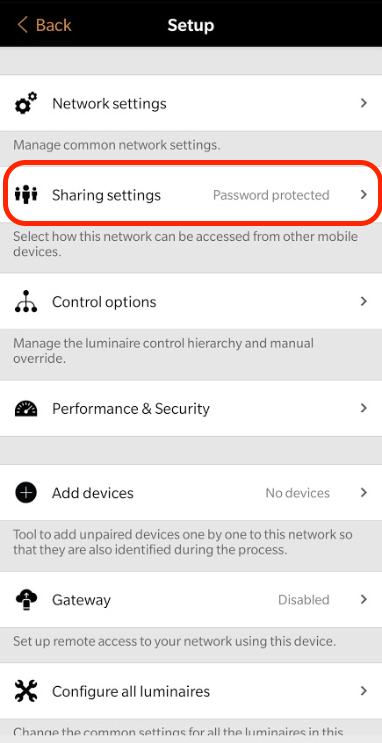
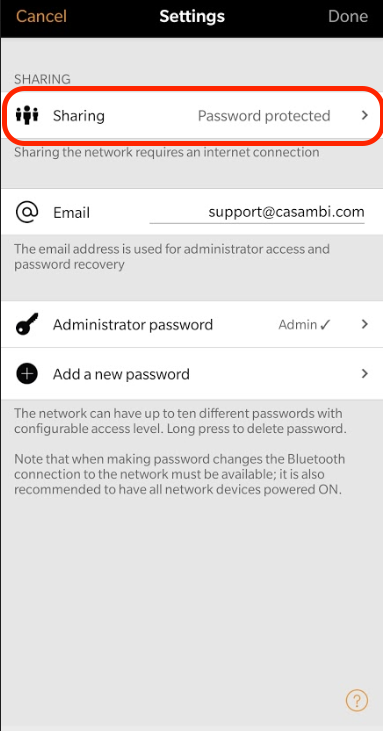
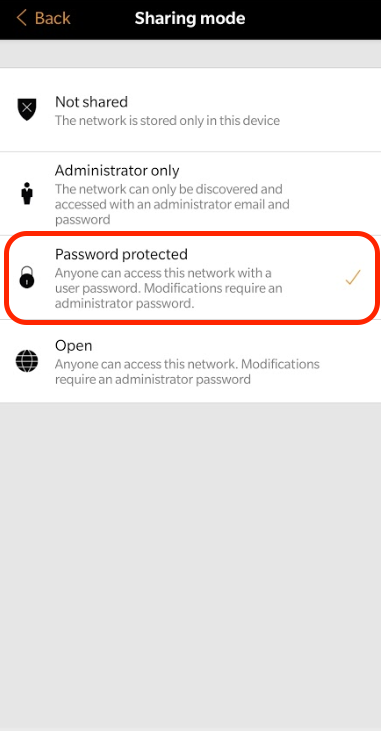
You can start by setting the "Sharing settings" for your network to 'Password protected':
This is done in the Casambi app by navigating to 'More' → 'Network setup' → 'Sharing settings'
-
After selecting the sharing mode, you will return to the previous view automatically.
-
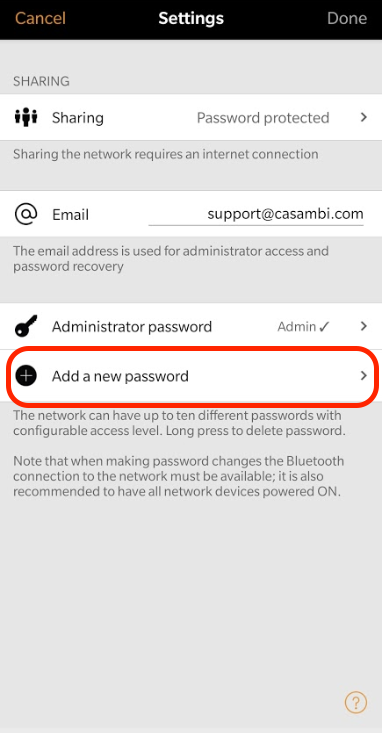
Then you can add a new user/password for the network by selecting 'Add a new password'
-
In the next "Manage password" view, you can set up the name, password and access right for the user.
About access rights:
A 'User' can use the network but not make any changes. A 'Manager' can make changes to all lighting control functionalities but cannot get access to passwords or decide who can access the network. The 'Administrator' can also give access rights to users.
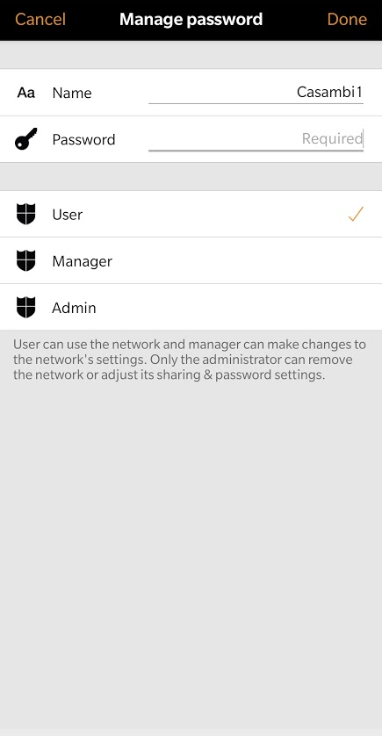
- Tap on 'Done' in the top right corner to finish managing the password. Tap 'Done' again in the "Sharing settings" view when you've added all the desired users/passwords to the network.