How to change to 'Classic' firmware?
It is possible to change the firmware grade of a Casambi unit from 'Evolution' to 'Classic'. This might be necessary if a new unit configured with Evolution firmware needs to be added to an existing Classic network.
The unit(s) needs to be unpaired in order to change the firmware grade.
A firmware grade change can be done from the "Nearby devices" tab in the Casambi App by following the steps below:
-
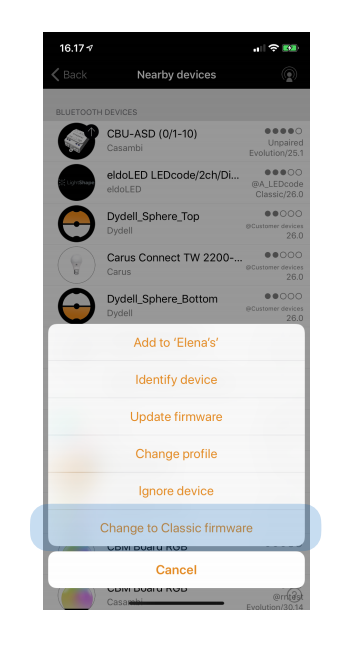
Tap on the unit you wish to change.
-
Select 'Change to Classic firmware'.
-
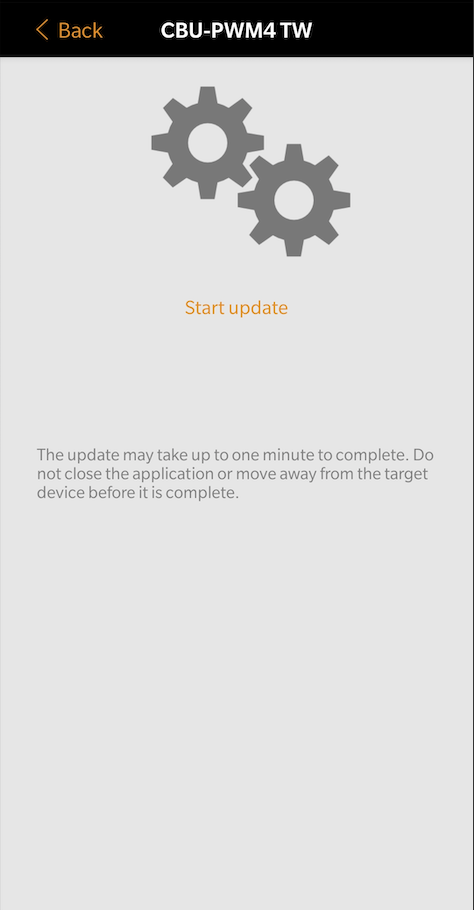
Tap on 'Start update' to begin uploading the selected firmware grade.
-
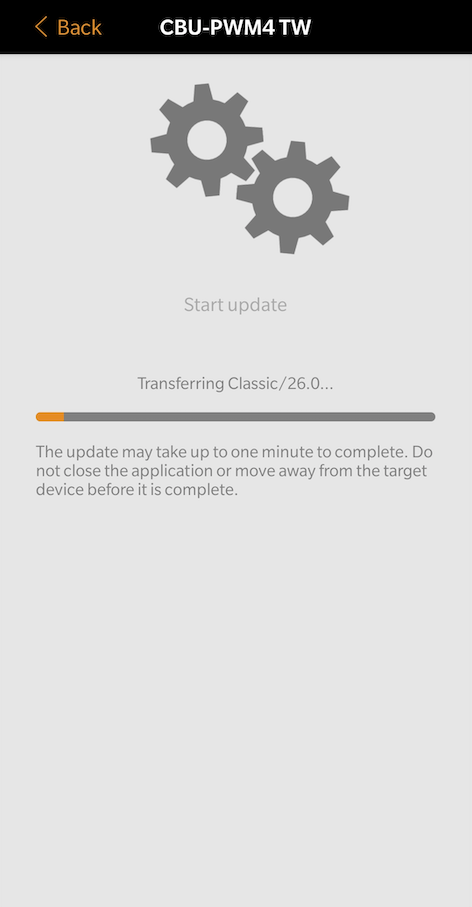
This will then open a new page with the text "Transferring Classic" and a progress bar below it. Please do not use/touch the screen of the mobile device during the update process. The process can take around 1 minute.
-
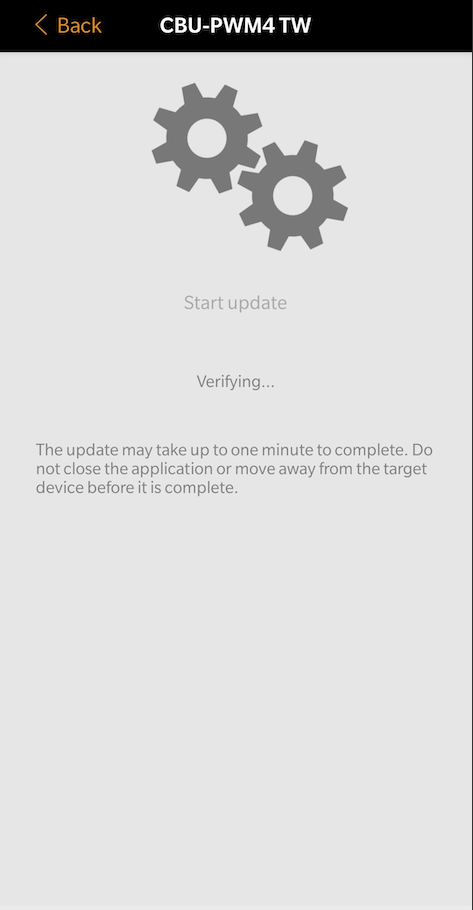
After the updating has successfully completed the screen will display "Verifying" and then an "Update succeeded" notification.
-
The device can now be added to a Classic network.